Click where you want to write.
Place your cursor in a message, a document, or a note.
 word for word
QALBEQAL FOR MAC
Write Amharic in the app you’re already using. Just say the words.
Version 1.0.5 · macOS 14 or later
 Ready in your menu bar
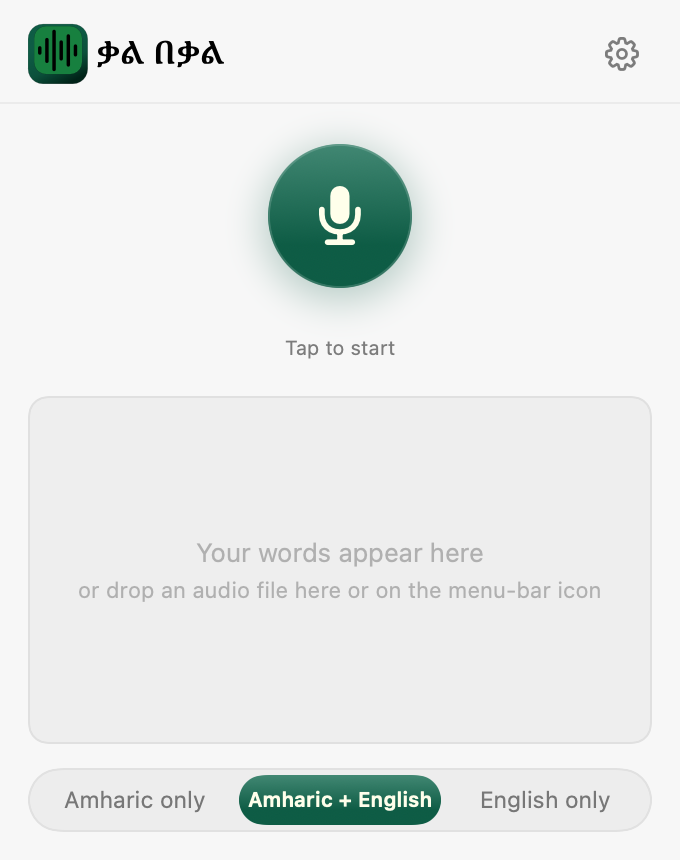
IN MAIL. IN NOTES. WHERE YOU WRITE.
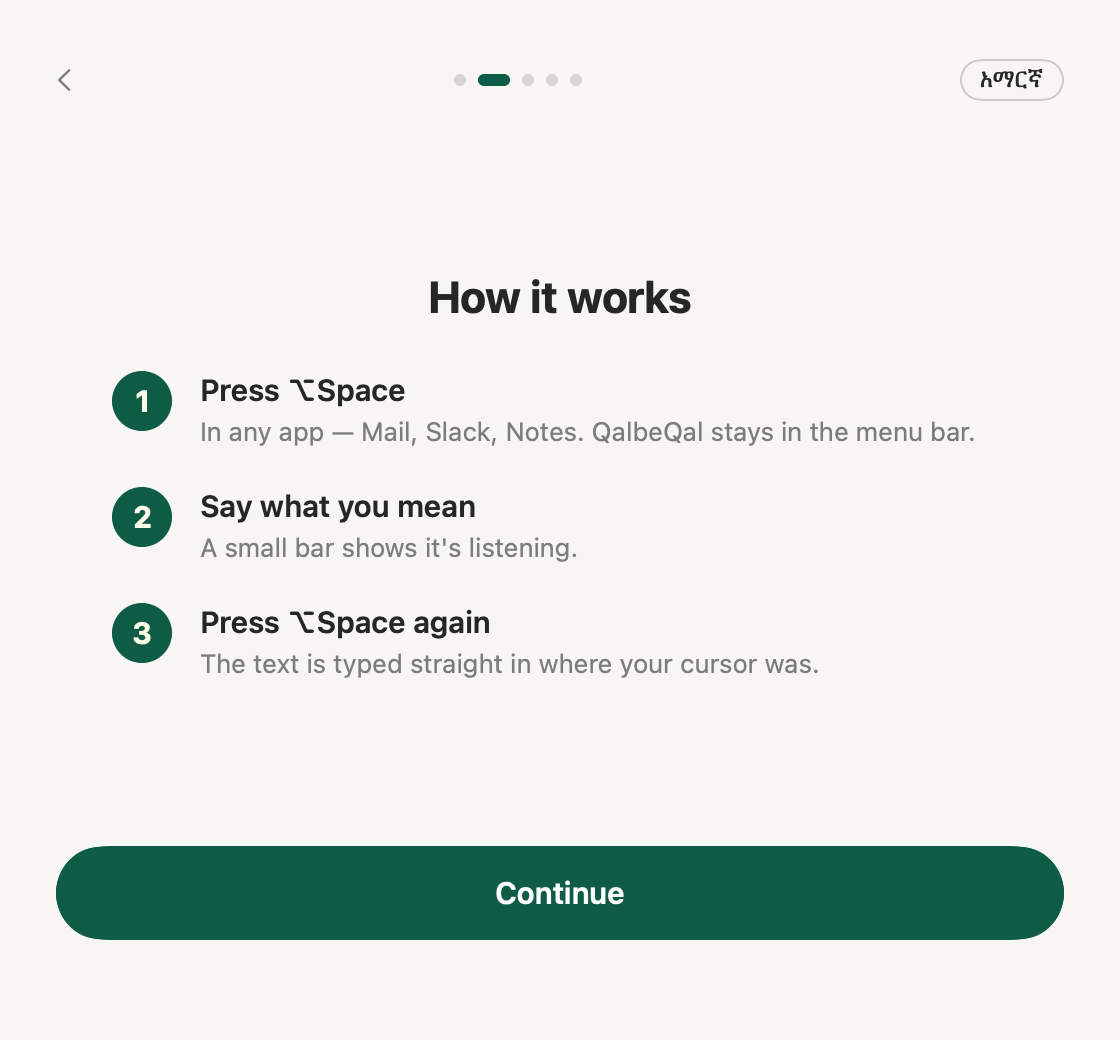
Place your cursor in a message, a document, or a note.
A small recording bar lets you know it’s listening.
Your Amharic lands in Fidel, right at your cursor. Read it through and keep going.
ALREADY RECORDED?
Drag an audio file onto the menu-bar icon or into QalbeQal. You can also choose Audio file… in the app.
Including Ogg/Opus voice notes from WhatsApp and Telegram.
YOUR LANGUAGE. YOUR LETTERS.
Choose Amharic + English to keep English words in Latin and Amharic in Fidel.
On supported Macs with macOS 26 or later, English can run locally using Apple’s downloaded speech model. Amharic uses cloud recognition.
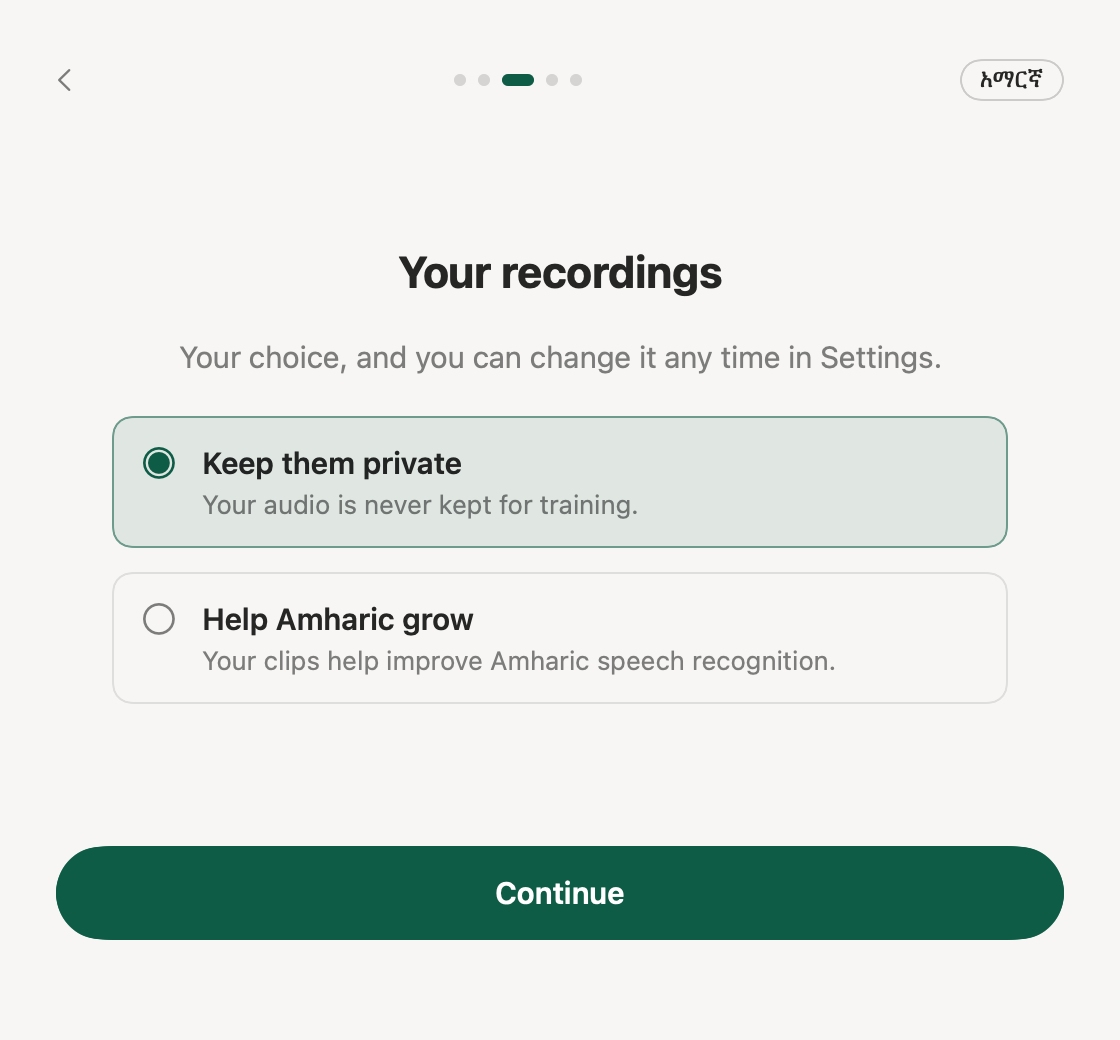
YOUR RECORDINGS. YOUR CHOICE.
Keep your recordings out of training, or choose to contribute clips to improve Amharic recognition.
Change your choice any time in Settings.
ONE-TIME SETUP

Chat opens in our Telegram bot.